

Compressor
Section titled “Compressor”A compressor reduces the difference between the loudest and the quietest parts of the audio. This is achieved by gently turning down the volume of the loudest moments, which produces a more consistent, controlled sound. A more detailed explanation of compression can be found in this beginner’s guide to compression.
This filter is added and configured in the DSP settings for a player. See the Digital Signal Processing overview for the full filter path.
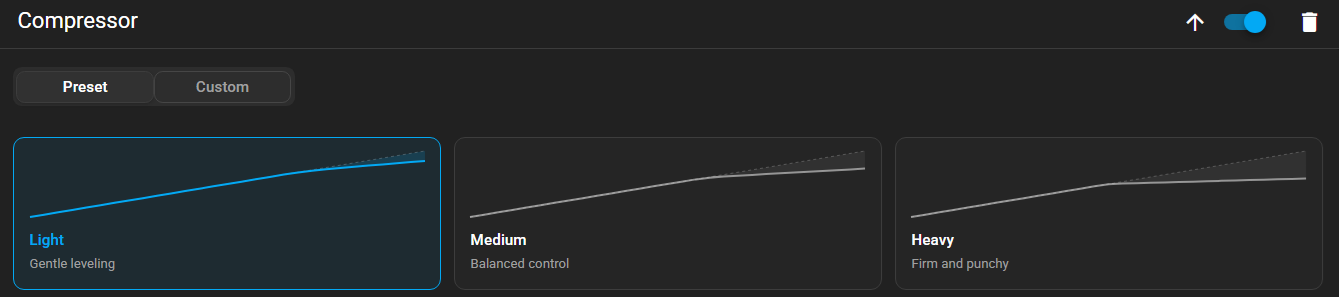
The compressor has two modes which are selected using the PRESET and CUSTOM tabs at the top of the filter.
Preset Mode
Section titled “Preset Mode”In Preset mode, three preset buttons are shown:
- Light — Gentle leveling
- Medium — Balanced control
- Heavy — Firm and punchy
Selecting a preset applies a matched combination of the settings described below. The presets are a good starting point and will suit most situations.
Custom Mode
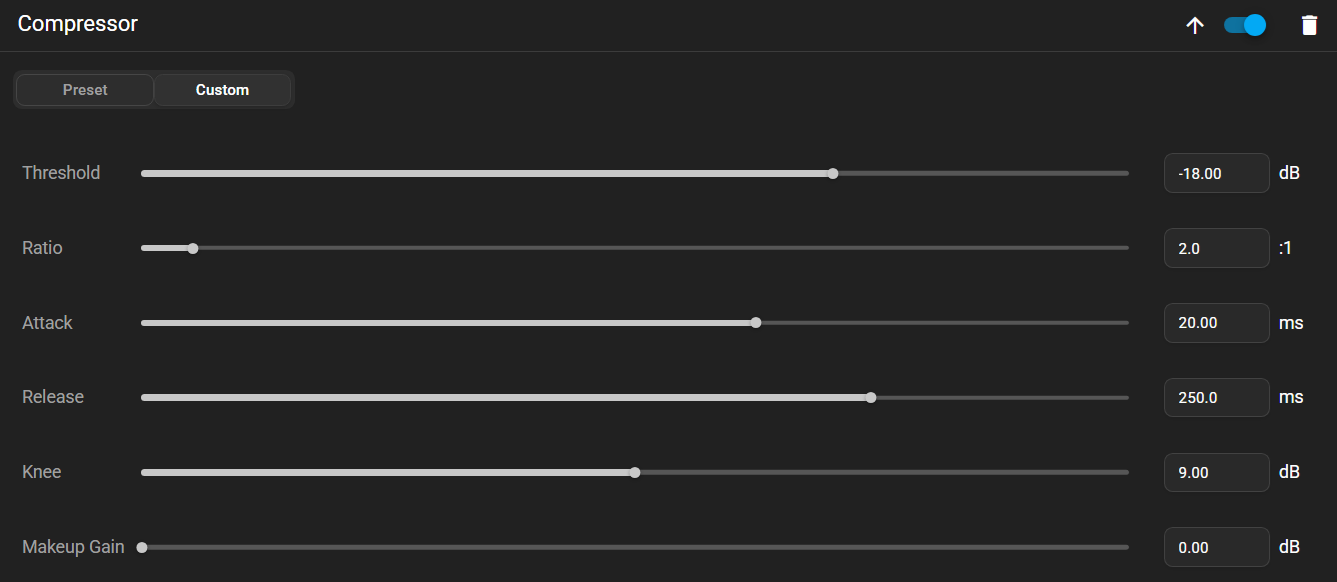
Section titled “Custom Mode”In Custom mode, six controls are shown which allow the behaviour of the compressor to be fine-tuned.
Threshold
Section titled “Threshold”Sets the volume level where compression begins. Sounds quieter than the threshold are left alone, while louder sounds are reduced.
Controls how strongly the compressor reduces sounds that exceed the threshold. Lower ratios sound more natural, while higher ratios create a tighter, more controlled sound.
Attack
Section titled “Attack”Controls how quickly the compressor reacts when the sound becomes louder than the threshold. A faster attack tames sharp peaks, while a slower attack lets more of the initial impact through, making the sound feel punchier.
Release
Section titled “Release”Controls how quickly the compressor stops reducing the volume after the sound falls below the threshold. A shorter release sounds more responsive, while a longer release produces a smoother, more even result.
Controls how gradually the compressor begins working around the threshold. A soft knee eases into compression for a more natural sound, while a hard knee starts compressing more suddenly for a more noticeable effect.
Makeup Gain
Section titled “Makeup Gain”Compression works by turning down the loudest moments, which often makes the whole signal seem quieter. Makeup Gain turns the overall level back up so that the benefit of compression can be heard without losing volume. Compression can be thought of as gently turning down the loudest moments, with Makeup Gain then turning everything back up so that the quiet and loud parts are more balanced.
This website uses privacy-first analytics to help us improve the site. You can view all data in our public dashboard.